Generate JSON
The json target emits dbterd's canonical ERD payload — a stable, schema-validated shape (nodes / edges / metadata) designed to be consumed by other tools rather than imported into a drawing app. It's the format the dbterd VS Code extension and the Jaffle Shop Docs site (a dbt-docs fork) both speak natively, so if you're building an integration this is the target you want.
1. Produce dbt artifact files
Let's use Jaffle-Shop as the example.
Clone it, then run dbt docs generate to produce the /target folder containing:
manifest.jsoncatalog.json(optional, adds warehouse column types; dbt 2.0 no longer writes it)
Or just use the generated files in the samples.
2. Generate the JSON file
In the same dbt project directory, run dbterd to generate the .json file:
Here is a trimmed sample of the output:
{
  "$schema": "https://dbterd.datnguye.me/latest/schemas/erd/latest/erd.json",
  "nodes": [
    {
      "id": "model.jaffle_shop.orders",
      "name": "orders",
      "label": null,
      "description": "One row per order.",
      "resource_type": "model",
      "schema_name": "analytics",
      "database": "prod",
      "columns": [
        {
          "name": "order_id",
          "data_type": "INT",
          "description": "The primary key.",
          "is_primary_key": true,
          "is_foreign_key": false
        }
      ],
      "compiled_sql": null
    }
  ],
  "edges": [
    {
      "id": "test.jaffle_shop.relationships_order_items_order_id",
      "from_id": "model.jaffle_shop.order_items",
      "to_id": "model.jaffle_shop.orders",
      "from_columns": ["order_id"],
      "to_columns": ["order_id"],
      "relationship_type": "fk",
      "name": "test.jaffle_shop.relationships_order_items_order_id",
      "label": null,
      "cardinality": "n1"
    }
  ],
  "metadata": {
    "generated_at": "2024-07-28T01:54:24.620460Z",
    "dbt_project_name": "jaffle_shop",
    "dbterd_version": "1.2.3"
  }
}
Sample config
Rather than passing a fistful of flags every run, drop a .dbterd.yml next to your dbt project. The demo above is generated from a config like this — it scopes the JSON down to a handful of marts and uses short table names. The same file is honored by the dbterd VS Code extension on every Open ERD, so CLI and editor stay in lockstep:
# .dbterd.yml

# Detect FKs from dbt `foreign_key` model contracts (not `relationships` tests).
algo: model_contract

# Short node labels (e.g. "orders" instead of "model.jaffle_shop.orders").
entity-name-format: model

# Modelled tables only.
resource-type:
  - model

# Narrow to exactly the marts you care about.
#
# Note: dbterd's selectors match against the fully-qualified `node_name`
# (e.g. "model.jaffle_shop.orders"), not the short name — hence the prefix on
# every pattern below.
select:
  - exact:model.jaffle_shop.locations
  - exact:model.jaffle_shop.orders
  - wildcard:model.jaffle_shop.dim_*
  - wildcard:model.jaffle_shop.fct_*
See the configuration file guide for the full list of keys.
3. Validate against the schema
Every payload carries a $schema URL pinned to the dbterd version that produced it. The schema is published on this site at schemas/erd/latest/erd.json (versioned copies live at schemas/erd/{version}/erd.json), so you can validate output in CI:
# any draft 2020-12 validator works; example with check-jsonschema
pipx run check-jsonschema --schemafile \
  https://dbterd.datnguye.me/latest/schemas/erd/latest/erd.json \
  output.json
Field reference
| Object | Field | Notes |
|---|---|---|
| node | id | dbt unique id, e.g. model.jaffle_shop.orders |
| node | name | Friendly table name (respects --entity-name-format) |
| node | resource_type | model / source / seed / snapshot |
| node | schema_name | dbt schema |
| node | database | dbt database |
| node | compiled_sql | Compiled SQL (falls back to raw dbt code); null when absent |
| column | is_primary_key | True when the column is the model's primary key |
| column | is_foreign_key | Derived — true when the column participates in a relationship |
| edge | from_id / to_id | FK (child) side → referenced (parent) side |
| edge | from_columns | Full column list; supports composite foreign keys |
| edge | cardinality | dbterd code: n1, 1n, 11, nn, 01, 0n |
| metadata | generated_at | Manifest generation timestamp |
| metadata | dbterd_version | dbterd version that produced the payload (matches $schema) |
4. (Optional) Render it in VS Code
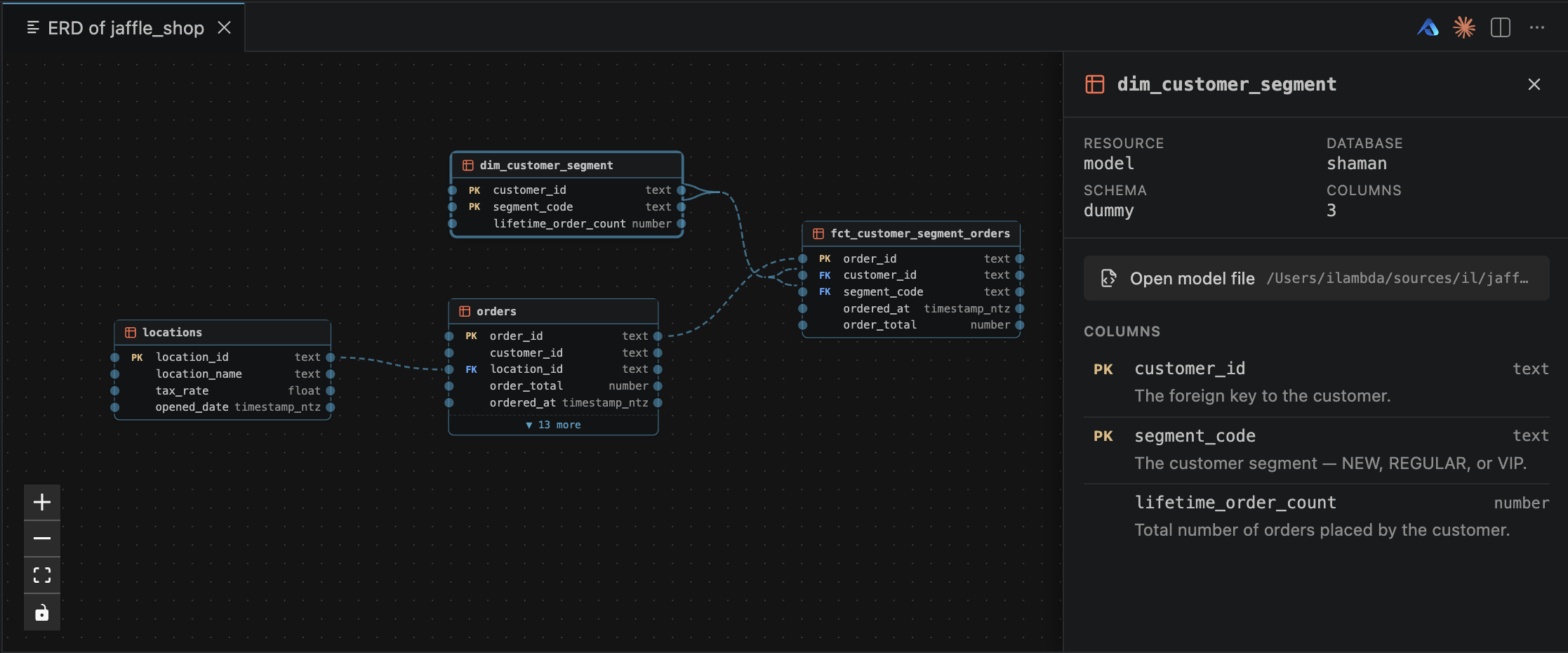
The JSON isn't meant to be read by humans — it's meant to be drawn. The dbterd VS Code extension consumes this payload directly: hit dbterd: Open ERD and you get an interactive diagram next to your code, with a detail panel for the model under your cursor — primary keys, foreign keys, schema, and column descriptions, all from the payload:
5. (Optional) Render it on a static docs site
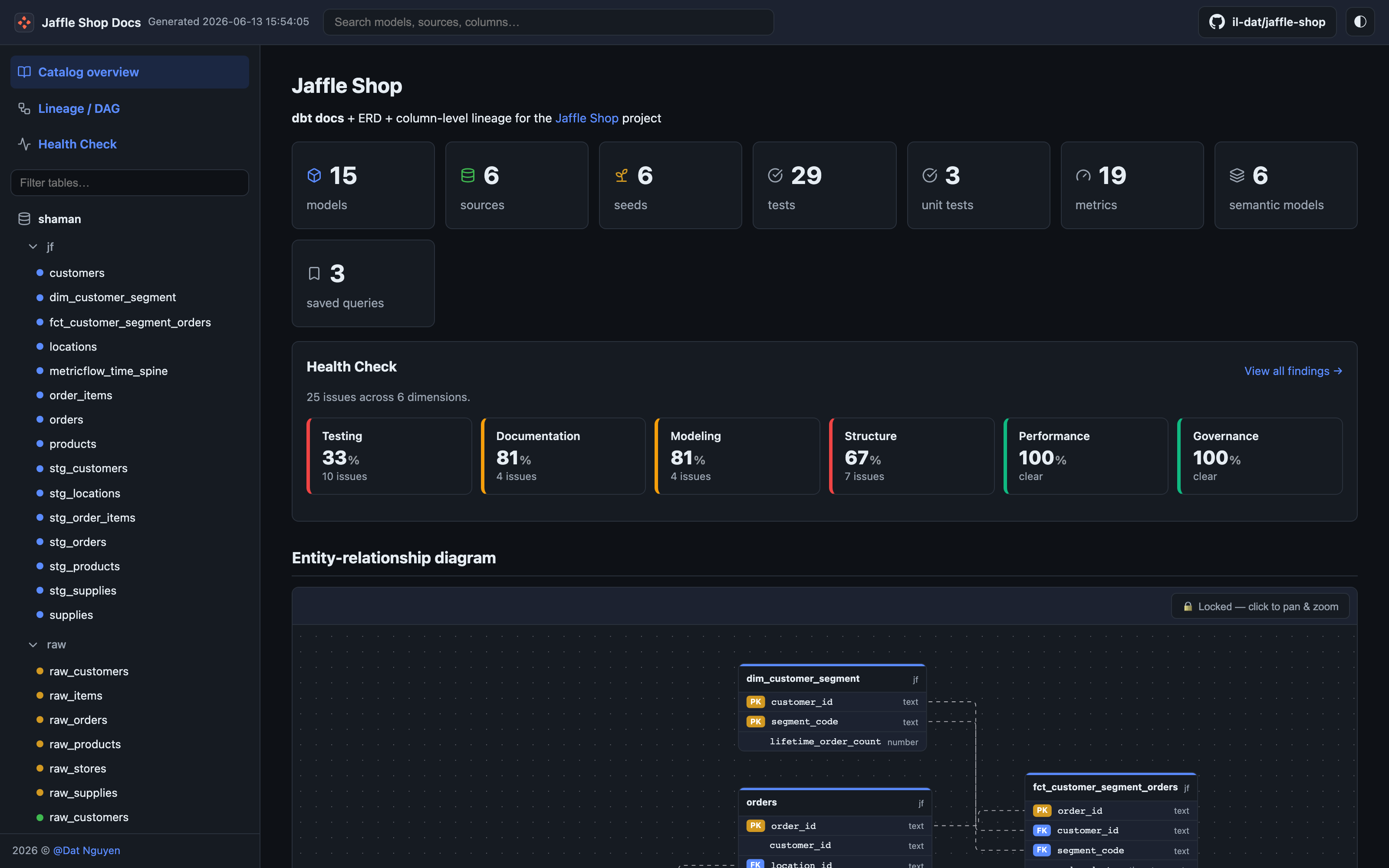
Because the payload is a clean nodes / edges graph, a downstream UI can render it straight away — no parsing of DBML or PlantUML required. The Jaffle Shop Docs site (a dbt-docs fork) reads this exact JSON to draw an interactive entity-relationship diagram right on its catalog overview. See it live in the demo site:
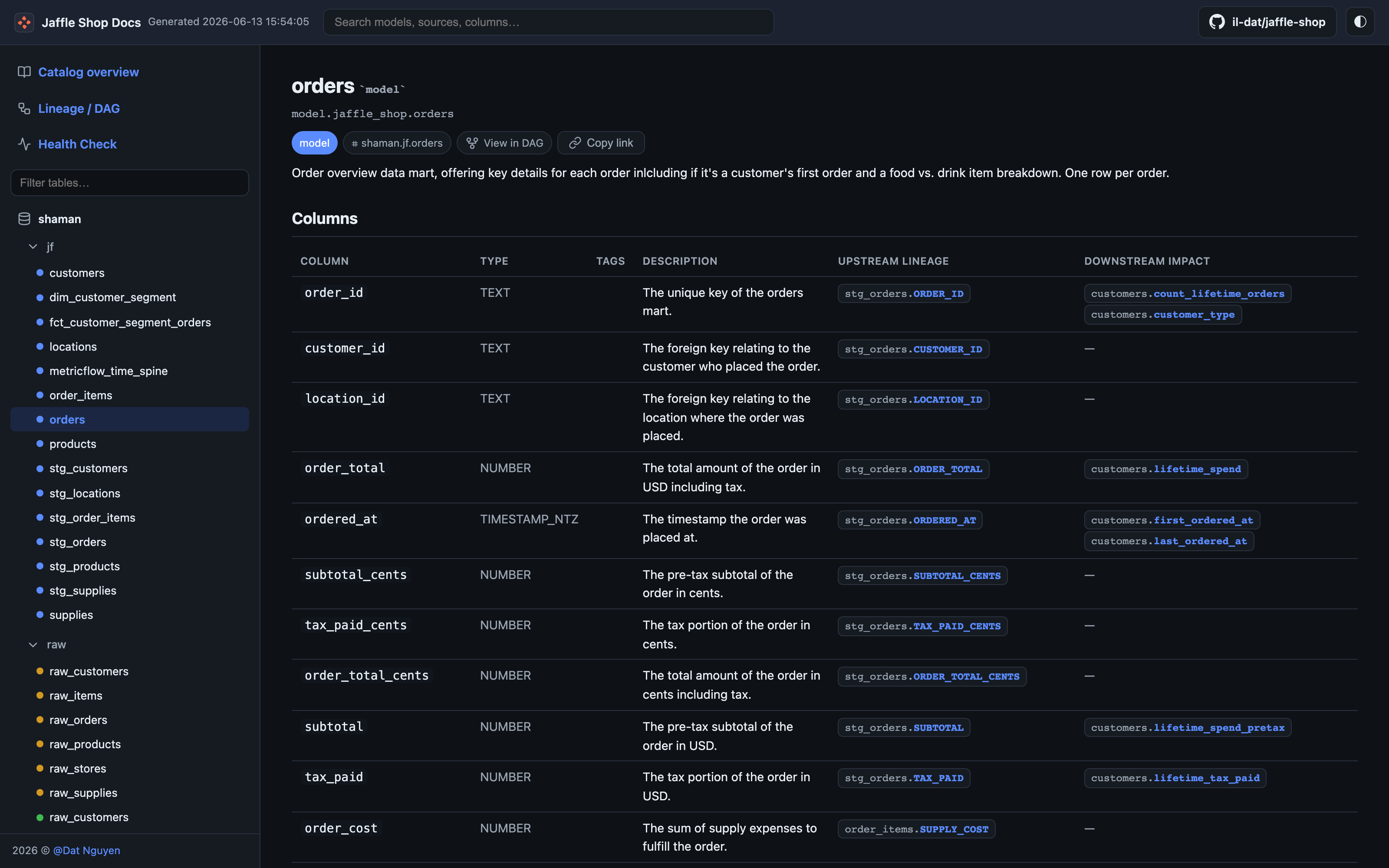
Click any table and you drop into a model page with the column-level detail — primary keys, foreign keys, data types, and descriptions — all sourced from the same payload's columns array: