Generate JSON
The json target emits dbterd's canonical ERD payload — a stable, schema-validated shape (nodes / edges / metadata) designed to be consumed by other tools rather than imported into a drawing app. It's the format the dbterd VS Code extension and the Jaffle Shop Docs site (a dbt-docs fork) both speak natively, so if you're building an integration this is the target you want.
1. Produce dbt artifact files
Let's use Jaffle-Shop as the example.
Clone it, then run dbt docs generate to produce the /target folder containing:
manifest.jsoncatalog.json
Or just use the generated files in the samples.
2. Generate the JSON file
In the same dbt project directory, run dbterd to generate the .json file:
Here is a trimmed sample of the output:
{
  "$schema": "https://dbterd.datnguye.me/latest/schemas/erd/latest/erd.json",
  "nodes": [
    {
      "id": "model.jaffle_shop.orders",
      "name": "orders",
      "label": null,
      "description": "One row per order.",
      "resource_type": "model",
      "schema_name": "analytics",
      "database": "prod",
      "columns": [
        {
          "name": "order_id",
          "data_type": "INT",
          "description": "The primary key.",
          "is_primary_key": true,
          "is_foreign_key": false
        }
      ],
      "compiled_sql": null
    }
  ],
  "edges": [
    {
      "id": "test.jaffle_shop.relationships_order_items_order_id",
      "from_id": "model.jaffle_shop.order_items",
      "to_id": "model.jaffle_shop.orders",
      "from_columns": ["order_id"],
      "to_columns": ["order_id"],
      "relationship_type": "fk",
      "name": "test.jaffle_shop.relationships_order_items_order_id",
      "label": null,
      "cardinality": "n1"
    }
  ],
  "metadata": {
    "generated_at": "2024-07-28T01:54:24.620460Z",
    "dbt_project_name": "jaffle_shop",
    "dbterd_version": "1.2.3"
  }
}
Sample config
Rather than passing a fistful of flags every run, drop a .dbterd.yml next to your dbt project. The demo above is generated from a config like this — it scopes the JSON down to a handful of marts and uses short table names. The same file is honored by the dbterd VS Code extension on every Open ERD, so CLI and editor stay in lockstep:
# .dbterd.yml

# Detect FKs from dbt `foreign_key` model contracts (not `relationships` tests).
algo: model_contract

# Short node labels (e.g. "orders" instead of "model.jaffle_shop.orders").
entity-name-format: model

# Modelled tables only.
resource-type:
  - model

# Narrow to exactly the marts you care about.
#
# Note: dbterd's selectors match against the fully-qualified `node_name`
# (e.g. "model.jaffle_shop.orders"), not the short name — hence the prefix on
# every pattern below.
select:
  - exact:model.jaffle_shop.locations
  - exact:model.jaffle_shop.orders
  - wildcard:model.jaffle_shop.dim_*
  - wildcard:model.jaffle_shop.fct_*
See the configuration file guide for the full list of keys.
3. Validate against the schema
Every payload carries a $schema URL pinned to the dbterd version that produced it. The schema is published on this site at schemas/erd/latest/erd.json (versioned copies live at schemas/erd/{version}/erd.json), so you can validate output in CI:
# any draft 2020-12 validator works; example with check-jsonschema
pipx run check-jsonschema --schemafile \
  https://dbterd.datnguye.me/latest/schemas/erd/latest/erd.json \
  output.json
Field reference
| Object | Field | Notes |
|---|---|---|
| node | id | dbt unique id, e.g. model.jaffle_shop.orders |
| node | name | Friendly table name (respects --entity-name-format) |
| node | resource_type | model / source / seed / snapshot |
| node | schema_name | dbt schema |
| node | database | dbt database |
| node | compiled_sql | Compiled SQL (falls back to raw dbt code); null when absent |
| column | is_primary_key | True when the column is the model's primary key |
| column | is_foreign_key | Derived — true when the column participates in a relationship |
| edge | from_id / to_id | FK (child) side → referenced (parent) side |
| edge | from_columns | Full column list; supports composite foreign keys |
| edge | cardinality | dbterd code: n1, 1n, 11, nn, 01, 0n |
| metadata | generated_at | Manifest generation timestamp |
| metadata | dbterd_version | dbterd version that produced the payload (matches $schema) |
4. (Optional) Render it in VS Code
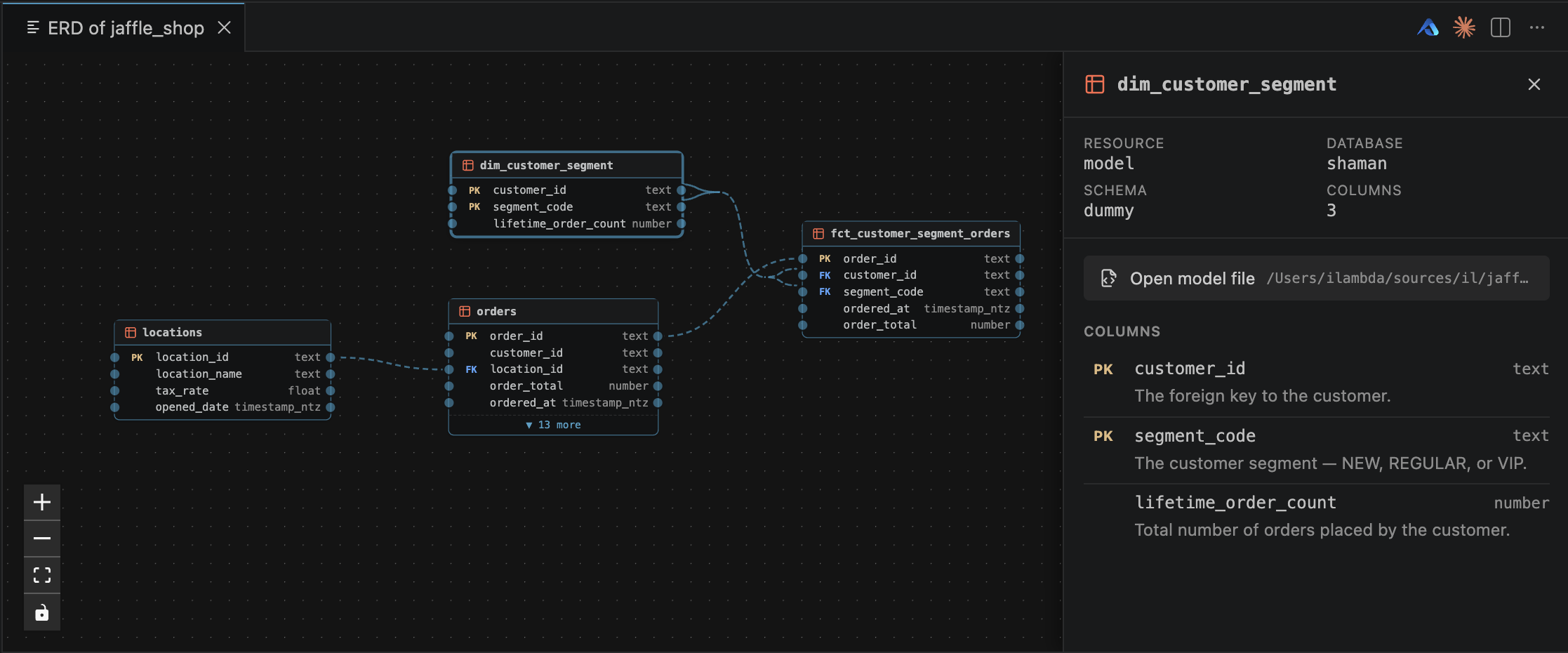
The JSON isn't meant to be read by humans — it's meant to be drawn. The dbterd VS Code extension consumes this payload directly: hit dbterd: Open ERD and you get an interactive diagram next to your code, with a detail panel for the model under your cursor — primary keys, foreign keys, schema, and column descriptions, all from the payload:
5. (Optional) Render it on a static docs site
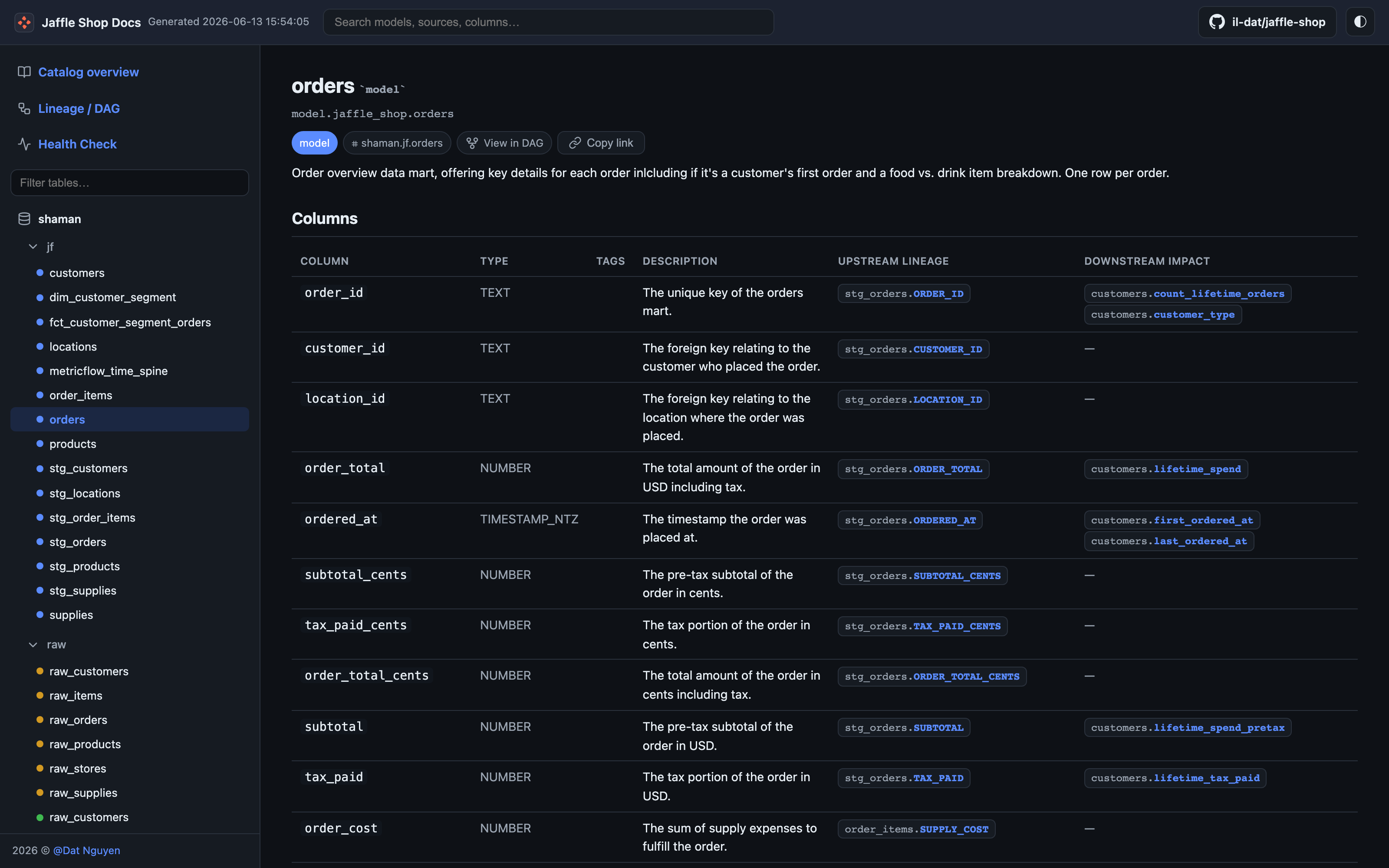
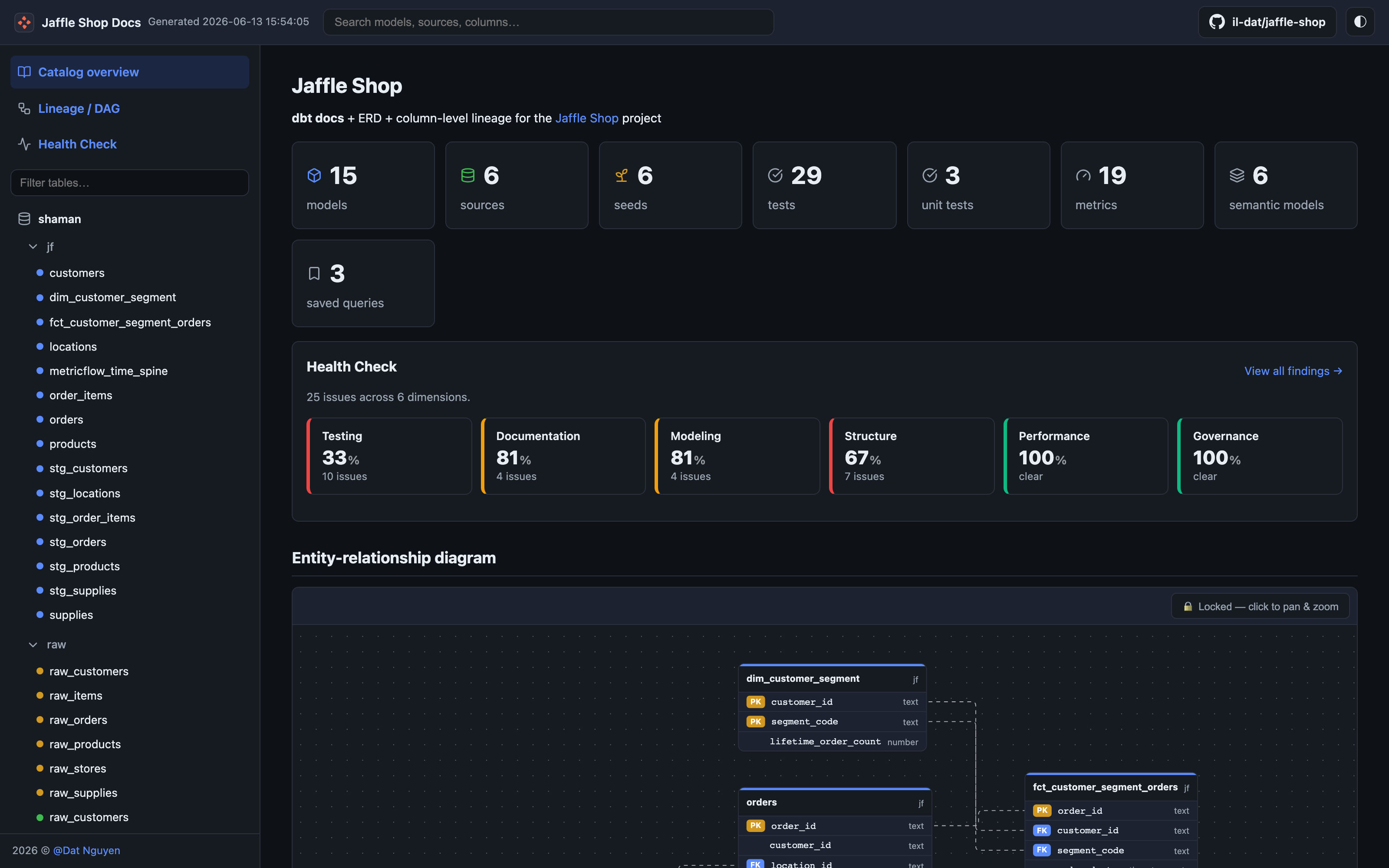
Because the payload is a clean nodes / edges graph, a downstream UI can render it straight away — no parsing of DBML or PlantUML required. The Jaffle Shop Docs site (a dbt-docs fork) reads this exact JSON to draw an interactive entity-relationship diagram right on its catalog overview. See it live in the demo site:
Click any table and you drop into a model page with the column-level detail — primary keys, foreign keys, data types, and descriptions — all sourced from the same payload's columns array: